Online magazine and shop
Articles, Authors, Issues and Products connected through Relationships and organized by Topic, Date or Category.
A larger website can contain several kinds of content, automatic overview pages, filters, shops, external services and editorial workflows. A content model defines what exists, which information belongs to each item and how everything is connected.
AI Mode can create the WordPress structure and the frontend views for that model. The result can follow a custom Figma design while every part remains clear and editable in the WordPress admin.
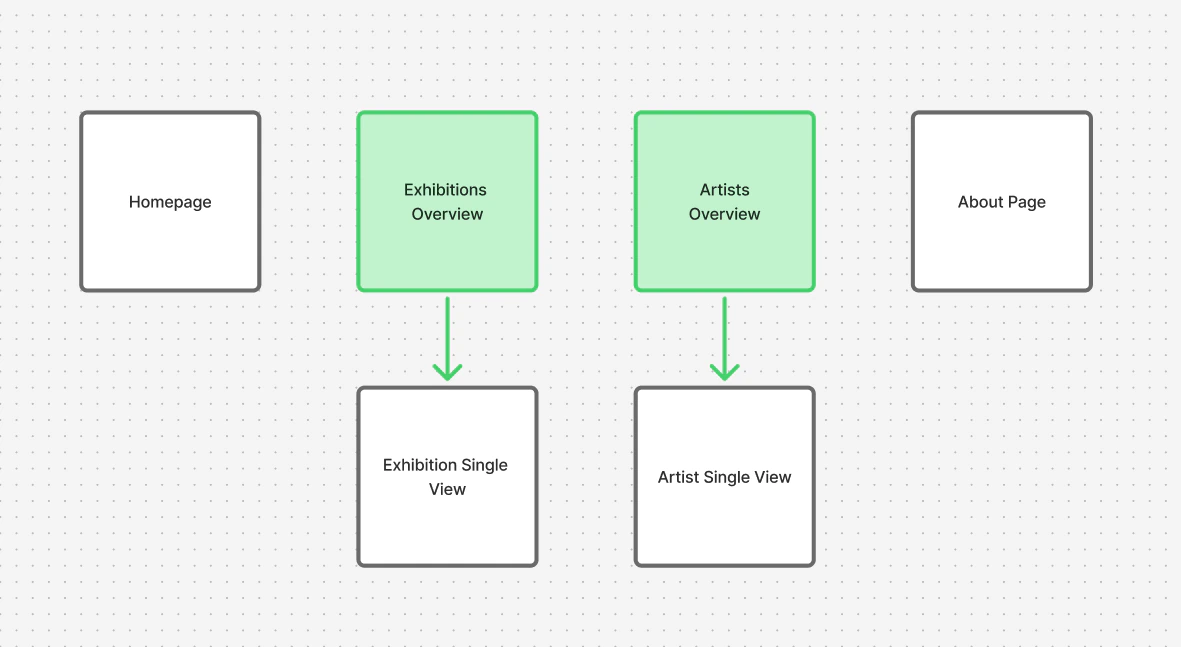
Imagine a gallery website with a Homepage, an About page, overviews for Exhibitions and Artists, and a dedicated page for every Exhibition and Artist. A sitemap makes these page types visible before the website is built.
The overview and single pages are connected. Add a new Exhibition in WordPress and it can automatically appear in the Exhibitions overview. The same content can be shown on the pages of every participating Artist.
Follow How I Build €10,000 Gallery Websites with AI for the complete workflow from sitemap and Figma design to Custom Post Types, Relationships, automatic overview pages and responsive layouts.
Lay Theme is not a pure AI website generator. Its Gridder is a visual layout editor for building pages and arranging text, images, videos and other elements directly in WordPress.
AI Mode adds the custom parts. Use it to create content structures, Relationships, Custom Views and tailored elements, then combine them with normal Gridder layouts in the same website.

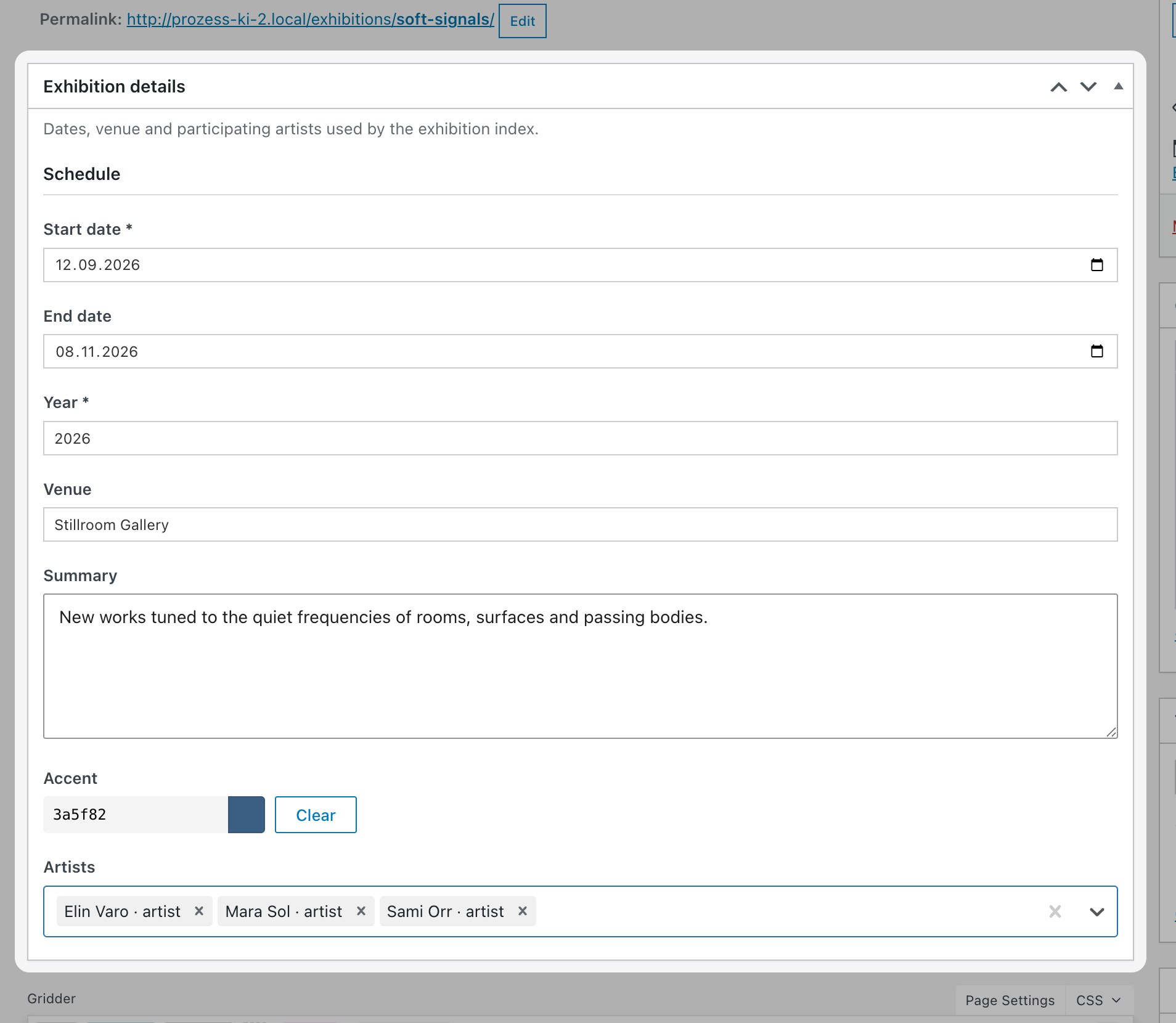
Exhibitions can become a Custom Post Type. Custom Fields store the title, dates, venue, summary, images and participating Artists.
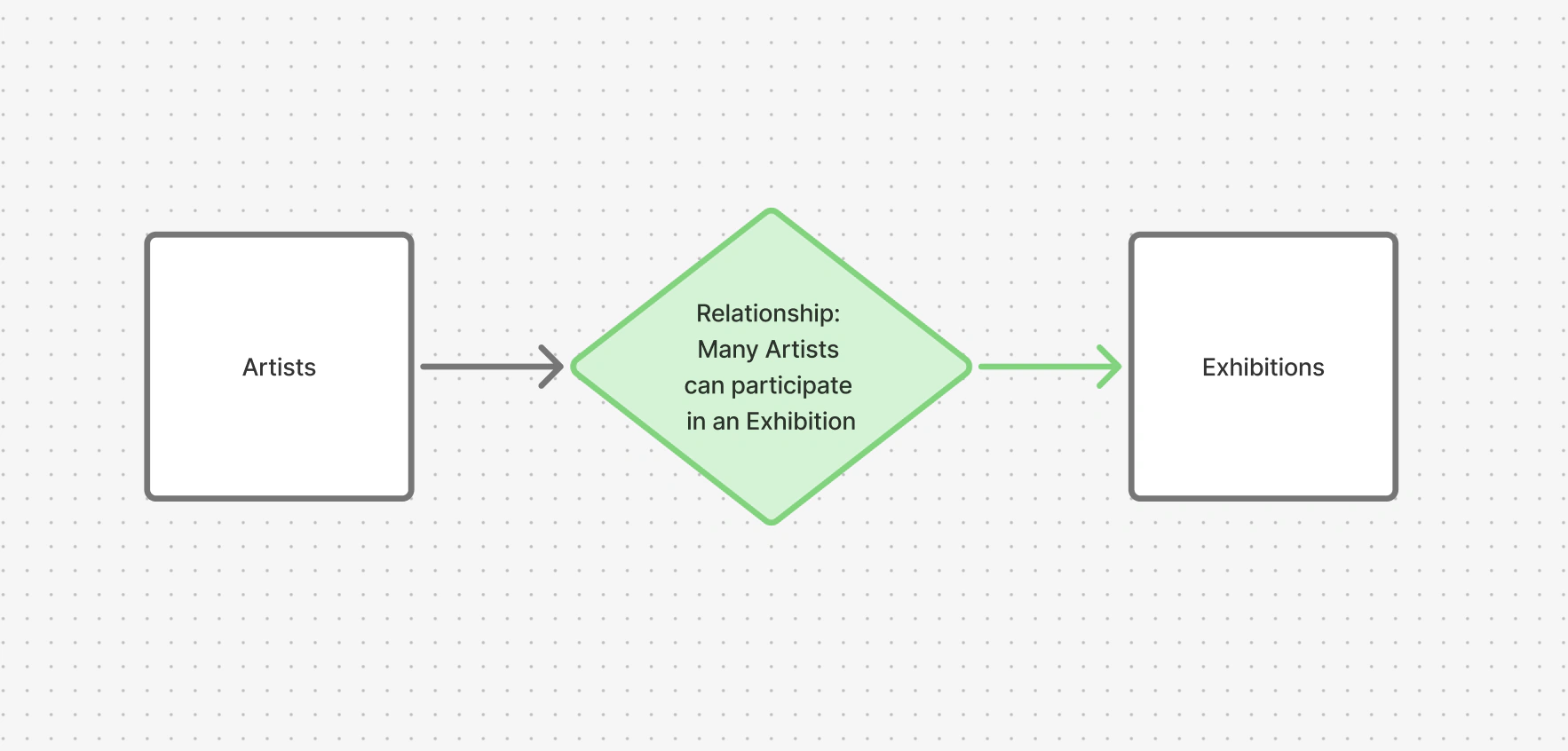
Artists can become a Custom Post Type with a portrait, biography, website and related Exhibitions. A Relationship field connects each Exhibition to one or more Artists.
Custom Views define the design for every Exhibition and Artist. New records automatically use the right layout, so the client never needs to rebuild a page.
The Artists and Exhibitions overviews query their records automatically. They can be sorted, filtered and styled independently without duplicating the content.
Once the content model is set up, editors get a focused form for every kind of content. An Exhibition can have clear fields for its dates, venue, summary, accent color and participating Artists. The client can update the content while the page design and all connected overviews update automatically.
Many Artists can participate in an Exhibition. A Relationship field lets the editor select those Artists once. The Exhibition page can show them automatically, and every Artist page can list the Exhibitions connected to that Artist.
The editor manages the records and their connections in WordPress. The designer controls how those records appear through Custom Views and Custom Elements.
Design the Exhibition, Artist and overview pages in Figma. AI Mode can translate the components into Custom Elements and Custom Views, connect them to the content model and keep the content editable through clear fields in WordPress.
This workflow gives designers the freedom to create a custom frontend and gives the client a structured admin panel for daily editorial work.
Articles, Authors, Issues and Products connected through Relationships and organized by Topic, Date or Category.
Program Items, Speakers, Exhibitors and Venues connected by time, location, topic and format.
Projects, People and Offices organized by Building Type, Location, Status and Year.
Courses, Departments, Teachers, Publications and Events connected across one searchable website.
Larger projects often involve several editors, external services, existing content and bigger budgets. Define the content types, fields, taxonomies, relationships, permissions, integrations and migration before production starts.
Test the features with the most technical uncertainty early. A technical plan gives the designer and client a shared understanding of the project and shows which Lay Theme or WordPress feature should handle each requirement.
You can hire me to help plan a larger Lay Theme project. I can review the brief or Figma design, check the technical feasibility, create diagrams for the content structure and recommend which Lay Theme and WordPress features to use for each part.
Consulting starts with a minimum of 2 hours at €90 per hour. Email info@laytheme.com to discuss your project.
Complex Websites Tutorial Why AI Mode AI Mode Capabilities Figma to WordPress Build with AI Shop Setup